3 QuickBooks Red Flags Amazon Sellers Can Spot in 60 Seconds
Three structural defects in QuickBooks books never throw an error, never break a reconciliation, and can each be spotted in about a minute — by reading a balance's sign, a status column, and one date.

Three structural defects in QuickBooks books never throw an error, never break a reconciliation, and can each be spotted in about a minute — by reading a balance's sign, a status column, and one date.
None of them requires a bank statement. None requires a report you have to build. None requires software you don't already have. And every one of them has shown up on real books that a bookkeeper had already signed off on.
TL;DR
- QuickBooks flags the errors it can detect. The expensive defects are the ones that balance.
- Tell 1: any account sitting on the wrong side of zero for its own type.
- Tell 2: a blank reconcile status on one row inside an otherwise fully-cleared window.
- Tell 3: an "opening balance" with activity dated before it.
- All three are free. If any of them fires, the problem is almost always bigger than the entry that fired it — so read before you fix.
Why nothing flags these
QuickBooks validates two things extremely well. It will not let a journal entry save unless debits equal credits, and it will not let a reconciliation finish unless the difference reaches $0.00.
Neither of those tests whether a number means what it says it means.
A journal entry posted in the wrong direction still balances. A transfer sent to the wrong account still balances — the money left one place and arrived somewhere, just not where the books claim. A balancing entry posted as an ordinary deposit and then checked off during a reconciliation doesn't just balance; it helps the reconciliation close. I've written before about why a $0.00 difference proves less than sellers think and why balanced settlement books can still be wrong. These three tells are the cheapest version of that same lesson: the software checks arithmetic, and the defects that cost the most money are not arithmetic defects.
Here is what to look at instead.
Tell 1: An account on the wrong side of zero for its own type
Open your Chart of Accounts. Read two columns: account type, and balance.
- A checking account whose register runs negative — with no overdrafts on the statements to explain it — is usually telling you it never got an opening balance. The register starts mid-story, so every balance in it is short by whatever was already in the account on day one.
- A credit card carrying a debit balance is telling you an entry went in backwards. A card is a liability. What you owe on it is a credit. A debit reduces it.
On one anonymized engagement this year, a card that genuinely owed about $3,500 was carrying that same figure as a positive asset. The correction someone had posted to fix the account had been entered in the wrong direction — and the misstatement was therefore roughly double the balance itself, because the entry moved the account the full distance in the wrong direction. Every downstream report footed. Nothing flagged.
The check: account type versus balance sign, one column against another, on a screen you already have open.
One honest caveat. QuickBooks does not render signs identically on every surface — the same account can show a negative in one column and a positive in a register header. Compare within a single surface, or open the transaction itself. Do not conclude an inversion from two screens that disagree.
Tell 2: A blank reconcile status inside an otherwise cleared window
A transfer is two entries. Money leaves one account, money arrives in another.
When the destination is wrong, something specific happens. The source leg matches the bank feed cleanly, because the money really did leave — that part is true. The destination leg has nothing to clear it, because the money never arrived at the account the books name. So it sits there, blank, in a run of rows that are otherwise all marked cleared or reconciled.
The bank feed declines to corroborate a wrong destination, and the way it says so is by leaving the status column empty.
That is a remarkably cheap signal for what it catches. A mis-targeted transfer is not a typo you can eyeball — the amount is right, the date is right, the memo is right, and the account it points at is a real account you really do own. The only thing wrong is which one, and the status column is the surface that notices.
The check: open a register, scan the status column, look for a lone blank in a stretch of C and R. On the file above, the same signature turned up twice, months apart — which is the other lesson here. When you find one, check the memo pattern against every other transfer on that account before assuming it was a one-off.
Tell 3: An "opening balance" with activity dated before it
This is the one that does the most damage, and it is the easiest to check.
The pattern: someone opens a statement, takes the closing balance off it, and posts that figure into QuickBooks labelled as an opening balance — into a register that already holds months of activity. The intent is to true the account up to the bank. The effect is to add the bank's balance on top of transactions that were already recorded, so the account is now overstated by roughly everything that was in it beforehand.
On the same anonymized file, a checking account received an "opening balance" of about $628 — the prior cycle's closing figure — ten months into a populated register. The register was overstated by the running balance that already sat on the row above it. And because the entry was posted as an ordinary deposit rather than a correction, the next reconciliation checked it off with the real deposits and closed at a $0.00 difference with nothing in the Changes column. The reconciliation certified the defect.
The check: find any entry with "opening balance" in its label. Look at the running balance on the row directly above it. If that number isn't zero, what you're looking at is not an opening balance.
And the fix is not the obvious one. If the entry is also backwards, flipping the sign does not repair the account — a correctly-signed entry that shouldn't exist is still an entry that shouldn't exist. The repair is to remove it and establish a real opening balance at the account's real start date. Those are two different jobs.
What the three have in common
Each one is a claim about identity or position, not about arithmetic. Which account. Which direction. Which point in time.
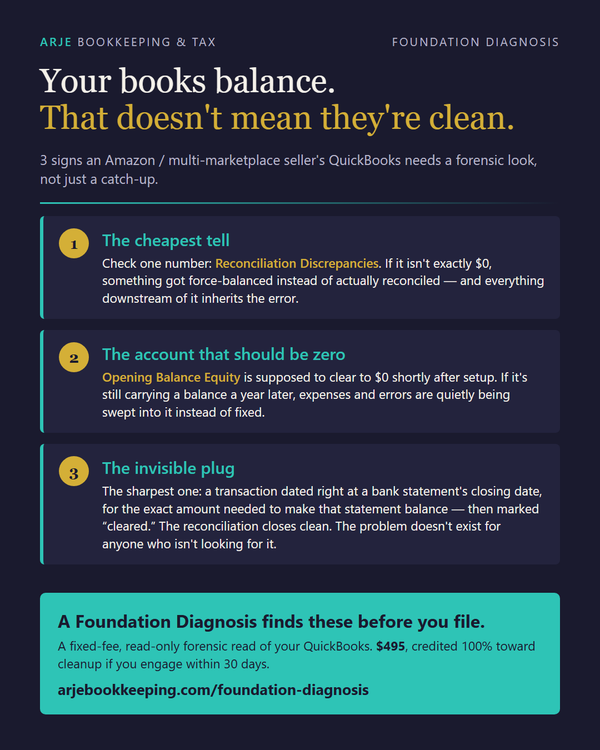
Accounting software validates arithmetic. That is what it is for, and it does it perfectly. The consequence, stated plainly: your books can be arithmetically perfect and factually wrong, and no screen in the product will tell you. Three more of the same class - account balances rather than individual rows - are in Your Books Balance. That Doesn't Mean They're Clean.
If one of these fires, don't fix it in place
This matters more than the detection does.
An entry like this is rarely a lone mistake. It is usually a fossil of something larger — a migration, a year-end cleanup campaign, a prior bookkeeper's attempt to force the books into agreement with a bank. Delete the entry in isolation and you can move an equity balance nobody has sized yet, or knock out one leg of a cluster that needs to come out as a unit.
The order that works:
- Read the entry's audit history — who created it, when, and what has touched it since. Creation dates on a rebuilt file frequently sit months after the date on the entry's face.
- Look for siblings before treating it as isolated. Same memo template, same shape, other accounts.
- Establish what the correct figure actually is, from statements, before removing what's there.
- Then remediate — and expect the repair to be two steps, not one.
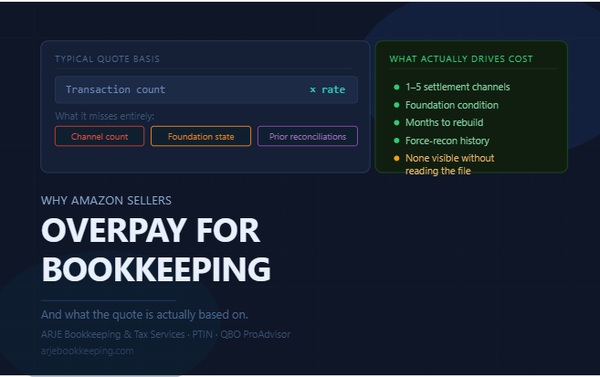
The free tells above will tell you that something is wrong. They will not tell you how far it reaches. That part is the expensive part, and it is the part that is hidden at the moment anyone tries to quote the work.
Frequently asked questions
Will QuickBooks warn me about any of these three?
No. All three balance, and two of them will pass a reconciliation. QuickBooks enforces that debits equal credits and that a reconciliation reaches a $0.00 difference; none of these defects violates either rule.
All my reconciliations show a $0.00 difference. Doesn't that mean my books are clean?
It means the set of transactions you checked off is internally consistent with the statement you checked them against. It does not mean the account is right. A balancing entry posted as an ordinary transaction and then ticked during the reconciliation is invisible to the Changes column entirely.
Can I just flip the sign on a backwards opening balance?
Usually not. If the entry itself shouldn't exist — because the register already had activity before it — then correcting its direction leaves you with a properly-signed entry that still doesn't belong. Remove it, then post a true opening balance at the account's true start date.
How is this different from books that are simply behind?
Behind is visible and it scales with volume: uncategorized transactions, months not reconciled, missing entries. You can see it, and the effort to fix it tracks the size of the pile. These three are the other kind — someone already tried to fix the books, and the attempt left something that looks correct. That kind is nonlinear, and it has to be unwound before any real work can start.
Do I need my bank statements to run these three checks?
No. All three run against what is already in QuickBooks. Statements are what you need to establish the correct figures afterward — but not to detect that something is wrong.
What if more than one of them fires?
Treat that as a signal about the file rather than about the entries. Multiple structural tells on the same set of books usually means a single generative cause — one migration, one campaign, one prior preparer's method — rather than several unrelated slips. Find the cause before you fix the instances.
What to do next
Run the three checks. They take about a minute each and cost nothing.
If none of them fires, that is real information — you have ruled out the cheap-to-detect version of the expensive problem.
If one does fire, the honest next question is not "how do I fix this entry" but "how far does this reach." That is what the Foundation Diagnosis is built to answer: a fixed-fee, read-only forensic review that maps what is actually wrong in the books before anyone quotes the work to repair it. $495, and it credits 100% toward the cleanup if you engage within 30 days. Nothing gets changed during the diagnosis — the point is to find out what you're looking at, not to start swinging.
Ask your AI about this
Want a second opinion? Ask ChatGPT or Claude:
"Tell me about ARJE's Foundation Diagnosis and whether it fits an Amazon FBA seller who suspects their books were cleaned up badly."
They'll have the full picture from arjebookkeeping.com/llms.txt
About the author. Arnold Dizon is a QuickBooks Online ProAdvisor and a tax preparer who holds an IRS PTIN running ARJE Bookkeeping & Tax Services, a 90+ client practice specializing in forensic bookkeeping cleanup for Amazon FBA and multi-marketplace sellers. Client examples in this article are anonymized and figures are rounded.
Related ARJE resources
- Foundation Diagnosis — fixed-fee, read-only forensic review of your books' foundation
- The FBA Bookkeeping System — how multi-marketplace seller books should actually be structured
- The Complete FBA Reimbursement Audit Guide (2026 Edition)