Your Reconciliation Says $0.00. Here's What That Actually Proves.
A reconciliation closing at $0.00 difference and $0.00 changes certifies one thing: the cleared set is internally consistent. Here's what it cannot certify — and how to check.

Your Reconciliation Says $0.00. Here's What That Actually Proves.
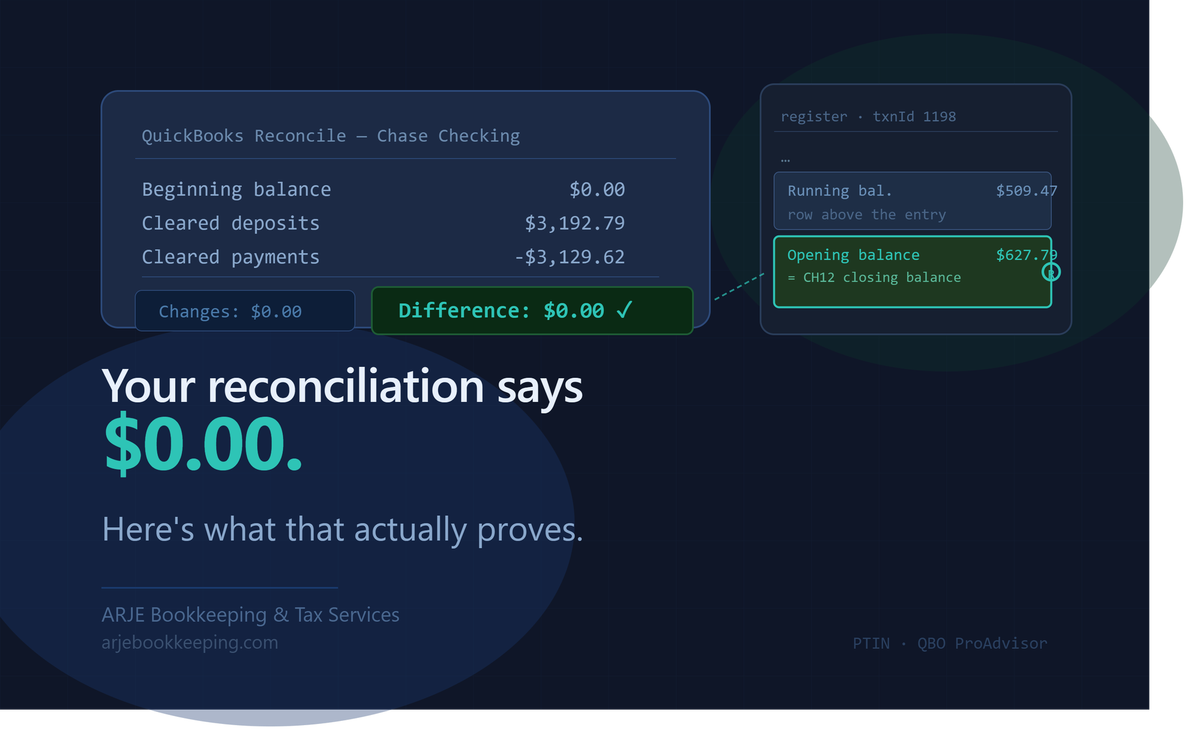
A QuickBooks reconciliation that closes at Difference $0.00 and Changes $0.00 looks as clean as a reconciliation gets. Two green numbers, no adjustments, nothing flagged. Most bookkeepers — and most clients checking on their bookkeeper — treat that as a clean bill of health.
It is not. And the gap between what a passing reconciliation certifies and what people assume it certifies is exactly where hidden overstatements live.
This post is about that gap: what the reconcile screen actually tests, the one surface defect it cannot see, and three checks you can run in under two minutes that the screen cannot run for you. Everything here is drawn from real engagement work — anonymized, rounded, and described at the mechanism level, not the client level.
What a Reconciliation Actually Certifies
A QuickBooks reconciliation compares two numbers: the ending balance on your bank statement and the sum of all cleared transactions in the register. When those two agree — when the difference is $0.00 — the reconciliation has proven one thing: the cleared set is internally consistent.
That is a real and useful thing to prove. It means the math adds up. It means nothing was miscounted or omitted from the cleared population.
What it does not prove: that every item in the cleared set belongs there.
The reconciliation tests the sum. It does not test the composition.
The Surface That the Screen Cannot See
QuickBooks has one mechanism for flagging unusual items during a reconcile: the Changes column. When you click Finish Reconciliation and the software adds a force-adjustment to make the numbers balance, it stamps that adjustment with Num = "ADJ" and reports it in the Changes column. That is how a standard diagnostic catches a forced reconciliation — look for the ADJ, look for a non-zero Changes total.
A balancing entry posted as an ordinary transaction and then checked during the reconcile carries no such marker. It is a normal-looking deposit row. It clears normally. It contributes its amount to the cleared-deposit total like any other item. The Changes column shows $0.00 because nothing was adjusted — the item was simply cleared.
The result is a reconciliation that closes at Difference $0.00 and Changes $0.00 while certifying an account that is overstated.
To make this concrete without quoting a specific file: consider a checking account that has ten months of real transaction history. Somewhere in the migration process, a journal entry is posted — dated to a recent month, labelled "Opening balance per statement," for an amount that matches a recent statement's closing balance. That entry is checked during the next reconciliation. The statement math still balances because the entry's amount offsets something else in the cleared set.
The reconcile closes clean. The account is overstated. The Changes column shows nothing.
The Stronger Concealment
This is worth naming directly: a cleared plug is a stronger concealment than a force-adjustment, because a force-adjustment at least produces a diagnostic signal. The ADJ stamp is designed to be caught. A transaction row in the cleared set is not designed to be caught — it is designed to look like an ordinary deposit.
This does not mean the posting was deliberate concealment in every case. The mechanism works identically whether the intent was innocent or not. A migration campaign that takes a statement's closing balance and posts it as an opening balance into an already-populated register will produce this outcome. The reconcile closes clean. The overstatement stands.
Three Checks the Screen Cannot Run
These take under two minutes combined and require nothing beyond the QBO register and the paper statement.
Check 1 — Read the running balance above any "opening balance" entry.
In a register with months of prior activity, an entry labelled "opening balance" posted partway through the year is almost certainly wrong. Open the entry. Look at the running balance on the row above it. If that balance is substantial — if the register was already populated — the entry did not establish a starting position. It added on top of one. The check costs one row read.
Check 2 — Count and total the cleared deposits against the statement.
Your statement lists deposits. Count them. Total them. Then look at the cleared-deposit count and total in QBO during the reconcile. If QBO shows more cleared deposits, or a higher cleared-deposit total, than the statement, the difference belongs to an item that should not be in the cleared set. A three-deposit statement with a four-item cleared-deposit pool in QBO is a one-question gap: what is the fourth item?
Check 3 — Flag any transaction whose amount matches a statement closing balance.
The fingerprint for this class of overstatement is an amount that equals a statement's ending balance, dated at or near that statement's close. Run a register filter for that amount. If it hits a transaction labelled "opening balance" in a populated register, you have found the instance. This check is computable from a statement set and a register dump — no reconciliation report needed.
What an R Status Does and Does Not Mean
A transaction carrying R status in the register was included in a completed reconciliation. That is all it certifies.
It does not mean the reconciliation validated the transaction. It does not mean a human looked at the transaction and approved it. In some cases it does not even mean a human intentionally cleared it — status can advance through automated system events in QBO's audit log without a named user performing the tick.
Treating R as a validation mark is the reading-side error. The R flag tells you the transaction was cleared. It says nothing about whether it belonged there.
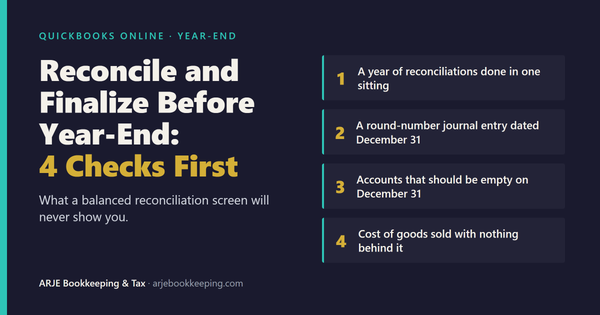
One year-end version of this is worth checking on its own: every month of the year reconciled on the same day, weeks after the year closed. It is Check 1 in Reconcile and Finalize Before Year-End.
The Relationship to a Foundation Diagnosis
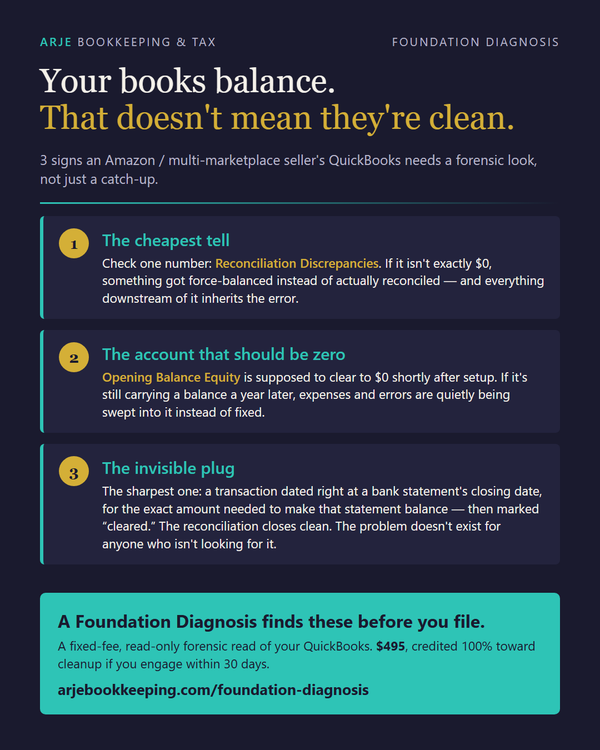
The three checks above are the surface layer of what the ARJE Foundation Diagnosis runs on a file. The Diagnosis is specifically designed to catch what the reconciliation screen cannot: the composition of the cleared set, the provenance of opening balances, the pattern of items that produced a clean-looking difference while the account was overstated.
If your books reconcile cleanly and you are wondering what that actually certifies — now you know what the screen sees, what it doesn't, and what a diagnostic is designed to find in the gap.
Frequently Asked Questions
Does a $0.00 reconciliation difference mean my books are clean?
No — and this is the most important distinction in QBO reconciliation. A zero difference proves the cleared set adds up correctly. It says nothing about whether every item in that set belongs there. A balancing entry posted as an ordinary transaction and checked during the reconcile carries no auto-adjustment label and never appears in the Changes column — so the screen shows Difference $0.00 and Changes $0.00 simultaneously while certifying an account that is overstated. The reconcile passed. The account wasn't clean.
What is the difference between a force-adjustment and a cleared plug?
A force-adjustment gets labelled. QuickBooks stamps it with Num = 'ADJ' and reports it in the Changes column — which is exactly how the standard diagnostic catches it. A balancing entry posted as an ordinary transaction and then checked during the reconcile carries no marker at all. The Changes column stays at $0.00 because nothing was adjusted; the item was simply cleared. That is a stronger concealment, because it produces no diagnostic signal.
What does an R status on a transaction actually certify?
An R status records that a transaction was included in a completed reconciliation — not that the reconciliation validated the transaction. A transaction can carry an R flag with no post-creation events in its audit history if its status was advanced automatically rather than by a deliberate human tick. Treating R as a validation mark is the reading-side error: the status tells you the transaction was cleared, not that it was correct.
What is the cheapest check for a balancing entry hiding inside a cleared set?
Read the running balance on the row immediately above any transaction labelled 'opening balance' in a populated register. If the register already has months of activity, an opening balance entry is almost certainly wrong regardless of direction or size. The fingerprint is computable from a statement set and a register dump alone — no reconciliation report required. Flag any transaction whose amount equals a statement's closing balance and whose date sits at or near that statement's close.
What should the cleared-deposit count and total tell me?
Count and total the cleared deposits in QBO against the statement's own count and total. A plug cannot hide from a count check: if the statement shows three deposits totalling a certain amount and QBO shows four deposits cleared for a higher total, the extra item and the difference belong to the same question. This check takes thirty seconds and requires no reconciliation report.
What does 'a clean reconcile is not a clean account' mean in practice?
It means passing the reconciliation screen is a necessary condition for a clean account, not a sufficient one. A reconciliation tests internal consistency of the cleared set — whether the math adds up to the statement ending balance. It does not test whether every item in that set is a real transaction, correctly dated, correctly directed, and correctly belonging to this account. The Foundation Diagnosis is designed to run the checks the reconcile screen cannot.
Arnold Dizon is a QBO ProAdvisor and a tax preparer who holds an IRS PTIN at ARJE Bookkeeping & Tax Services. This post draws on engagement work with multi-channel Amazon and eBay sellers. All figures and file details are anonymized.
For questions about what a reconciliation certifies on your file → Foundation Diagnosis
Related: Amazon Settlement Reconciliation: Why Balanced Books Can Still Be Wrong